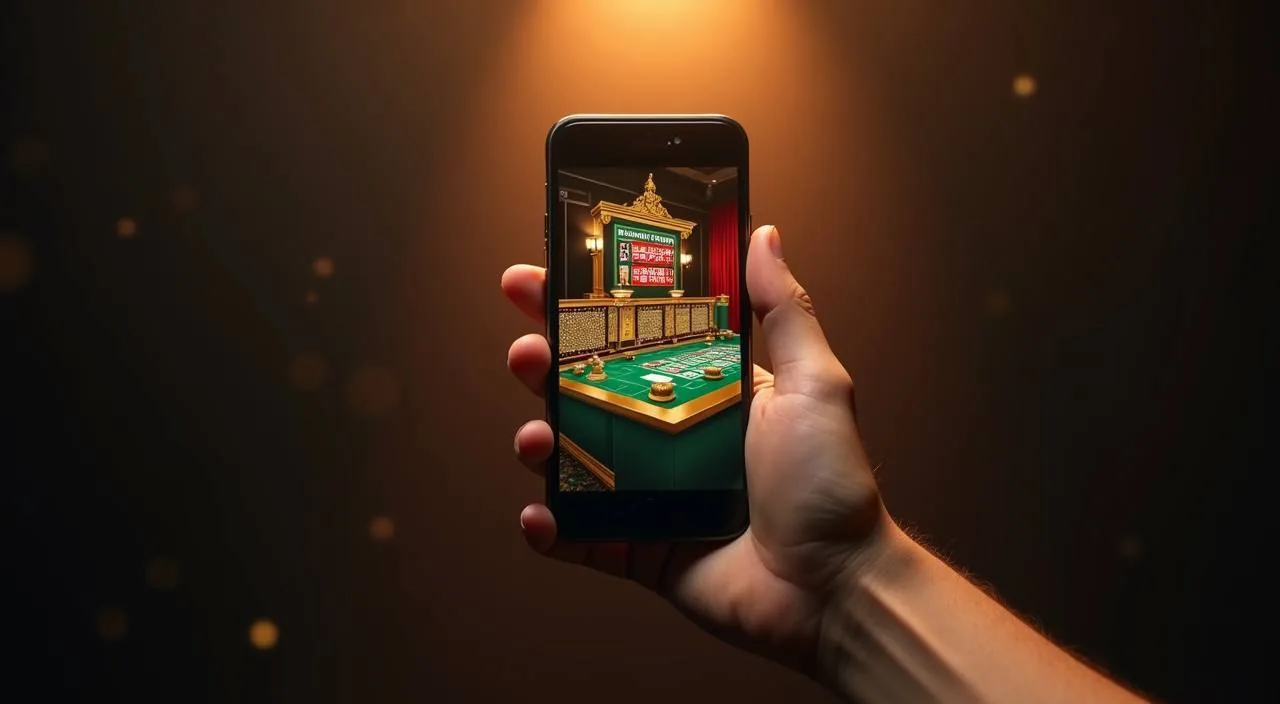
The lv666 catalog — slots, live tables, crash games and the sportsbook — loads through your mobile browser without a store download. Open the site on any supported device, sign in, and your account, game history and wallet are right there.
When you open lv666 on a mobile browser, the page adapts to your screen size automatically. The navigation bar compresses into a menu you can tap through — game categories, your account wallet, help pages and the sportsbook are all reachable from the same screen. Slots from PG Soft, Bigtime Gaming, Habanero and CQ9 render at full quality in the browser window; live dealer tables run through the same stream you would get on desktop. The account area shows your current balance, transaction history and the deposit route you set up — whether that is bKash, Nagad or Bank Transfer.
BROWSER FEATURE SNAPSHOT
Mobile Access Features Worth Knowing
These are the page-level behaviors you can verify when you open lv666 on a phone or tablet. No claimed native-app feature is listed here — only what the responsive site delivers across supported browsers.
Responsive Layout
The site layout adjusts to your screen width. Category rows, game cards and the account menu all reflow for smaller screens so you do not need to pinch or zoom to reach the section you want.
Account Routes on Mobile
Your wallet balance, deposit history and account settings are accessible from the mobile browser view. Tap the account icon at the top of the page to reach the same fields available on desktop without switching devices.
Game Catalog Access
Slots, live casino tables, crash games and sportsbook markets load in the browser window. Categories from PG Soft, CQ9 and other catalog studios are navigable by genre row, and game tiles render at mobile resolution.
Help Pages Available
The support and FAQ sections are accessible in the mobile view. If you have an account query while away from your desktop, open the footer help link in your phone browser to reach the published support route directly.
ACCESS STEPS
Mobile Access in 3 Steps
There is no app-store listing to navigate and no APK file to locate. Access to lv666 on mobile works through your existing browser. Start by opening your preferred mobile browser — Chrome and Firefox on Android, or Safari on iOS, are the common choices — and typing the current lv666 domain into the address bar. Confirm you are on the correct domain before entering any account details. Once the page loads, check that the layout has adjusted to your screen: the menu icon and account button should be visible at the top. From there, tap to sign in using your registered credentials. Your catalog, wallet and account history load in the same session.
Open the Current Site
Type the lv666 domain into your mobile browser address bar. Verify the URL matches the current published address before proceeding to sign in.
Check Browser Compatibility
Confirm your browser renders the responsive layout — the menu icon and account button should appear at the top of the screen. If not, try a different browser or clear cached data.
Sign In Securely
Use your registered account credentials on the sign-in page. Once authenticated, your wallet balance, game catalog and transaction history are accessible from the same mobile session.
DEVICE COMPATIBILITY CHECK
Which Devices and Browsers Work
Before relying on mobile access for a live session, check that your setup meets the basic requirements the site needs to render correctly. No invented OS version or hardware specification is listed below — these are the practical checks worth running.
Browser Version
Use a recent version of Chrome, Firefox or Safari. Older browser builds may not render the responsive layout or load the game catalog correctly. Update your browser through your device's standard update process.
Screen Layout Check
Open the lv666 homepage and confirm the menu icon, game category row and account button are all visible without horizontal scrolling. If elements overlap, the browser may need updating or a different zoom setting.
Account Requirements
A registered and verified account is required to access the wallet, transaction history and game sessions. Check that your account is in good standing before opening a live table or starting a slot session on mobile.
Currently Supported Devices
For the current device compatibility details, open the help section of the site and review the published guidance there. The supported device list may change; the published page reflects the current state.
Network Connection
Live dealer games and crash titles run on a continuous stream. A stable mobile data or Wi-Fi connection reduces the chance of interruption mid-session. Check your connection before starting a live table game.
MOBILE HELP ROUTES
Support When You Are on Mobile
If something does not load correctly or your account needs attention while you are using the mobile browser, the same help routes available on desktop are reachable from your phone. Use the footer link to open the published support page directly.
Help Page via Footer
Scroll to the footer of any lv666 page on your mobile browser and tap the help or support link. This opens the published support section where you can find account, wallet and session help without switching to a desktop device.
Account Recovery Path
If you cannot sign in on mobile, use the account recovery option on the sign-in page. Follow the steps shown there — they are the same steps available on any device. Check the help section for the published recovery route.
Wallet and Deposit Queries
For questions about your bKash, Nagad or Bank Transfer transaction, open the account wallet section in your mobile browser and check the transaction record shown there. The support page covers the steps for unresolved deposit queries.
ACCOUNT SAFETY ON MOBILE
Mobile Access Trust Checks
Using the mobile browser version of lv666 carries the same account responsibility as desktop. These are the practical checks that keep your session and credentials secure when you are away from a fixed device.
Verify the Current Domain
Before entering your account credentials, confirm the URL in your browser address bar matches the published lv666 domain. Do not sign in through a link sent via an unknown message or a third-party site that claims to mirror the lobby.
Review Published Device Guidance
The site's help section includes any device-specific access notes the team has published. Check there if you encounter a behavior that differs from your desktop session — it may reflect a known browser limitation or a published update.
Protect Account Credentials
Do not save your lv666 password in a shared or public device browser. Use your personal phone or tablet for account access, and sign out of the session when you are done — particularly if others use the same device.
Use the Published Recovery Path
If your account access is interrupted, use only the recovery route shown on the lv666 sign-in page. Avoid third-party account recovery services; the published path on the site is the only verified route for credential issues.
APP ACCESS FAQ
Questions About the lv666 App
These are the questions we hear most from Bangladesh accounts about accessing lv666 on a mobile device. Each answer reflects what is actually available through the browser-based mobile experience.
Is there a native lv666 app available in the app store?
A dedicated app-store listing is not confirmed at this time. Access to the full lv666 catalog — slots, live tables and the sportsbook — is available through your mobile browser without a native install. Check the site's help section for any current app availability update.
Can I play slots and live tables on my phone through the browser?
Yes. When you open lv666 in a supported mobile browser, the game catalog loads fully. Slots from studios including PG Soft, Habanero, CQ9 and Bigtime Gaming are available, and live dealer tables stream through the same browser session. Sign in with your account to start.
How do I access my bKash or Nagad wallet from the mobile site?
After signing in on your mobile browser, tap the account icon at the top of the page. Your wallet section shows your current balance and the deposit method you have set up — bKash, Nagad or Bank Transfer. Transaction records are listed in the same area.
Which mobile browsers work with lv666?
Recent versions of Chrome, Firefox and Safari work with the lv666 mobile layout. Keep your browser updated for the best rendering. If the page layout appears broken or game tiles do not load, clearing your browser cache or switching browsers usually resolves it.
What do I do if the mobile page is not loading correctly?
First, clear your browser cache and reload the page. If the issue continues, try a different browser or check your network connection — live game streams need a stable connection. If it persists, open the help section via the footer link and follow the published support steps.
Can I add lv666 to my phone home screen for quicker access?
Most mobile browsers let you save a site to your home screen via the share or options menu. This creates a shortcut that opens lv666 in your browser without searching for the URL each time. It is a browser shortcut, not a native app install.
 Slots / Live